 AEB
Badges is a Badges maker professional software for
seminars, congresses, conferences, visitors. It works
with all kind of printers and whatever size is your
badge. AEB
Badges is a Badges maker professional software for
seminars, congresses, conferences, visitors. It works
with all kind of printers and whatever size is your
badge. -
- You have for example to prepare within an hour, 1 or
100 or 1.000 or 10.000 badges or more for one
international conference or a seminar. Fortunately you
have a listing with the co-ordinates of the participants.
In this case AEB Badges is what you need. You import your
data in the database, with or without photograph and with
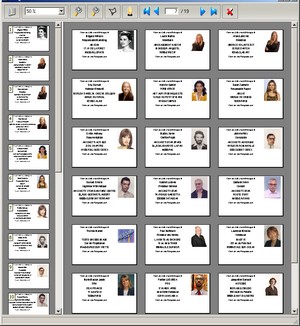
one touch, it's done. You can easily create Badges on
standard papers A4 (1, 2, to 3 badges per face) using an
addresses file. You can also use PVC badges with all
sizes. By adapting the height and the width of the Badge
one can easily configure the printing on all printers.
Then you insert your printing in a Carry-Badge: the
operation is carried out in less than one minute by badge
and cost: 0,01 centime! If you have a printer for
standard badge like Zebra or Eltron, the software will
setup itself to all kind the situations. It can print
badge by badge or 10.000 bages on a blow.
-
- A training add-on enables you to try in full safety
all options .
-
- An easy module to import data is available to help
user to add records into the database.
-
- Printing badges is selective according to many
options. For example you can create badges for all
University teachers etc...
-
- Moreover, it is free, unlimited in number of
recordings and never blocks, with Watermark on printing.
The Updates and the HOTLINE by EMail are also free.
However, if you share the cost of the development of the
software you will be able to print without
Watermarks.
-
- 1-Watermarks are printed lines
indicating that this badge was created with AEB Badges
software.
-
- Intuitive environments
of Windows type and On line
help
- Dynamic edition with
multi-criteria research ©AEBSoft
mode
- BADGES FOLDER
- Assisted input
data
- Import
data
- Choice of the font
size
- Automatic calculation
of edges size and margins
- View before
printing
- Printing control
list
- Printing Badges on
dedicated printers, Zebra or Eltron type
- Printing on standard
A4 papers (3 badges by front
page)
- Editing, searching
data.
- Printing
Reports
- Unlimeted number of
recorders.
- Assistant for
beginners
- Inversion Postal Code
+ City or City + Postal Code
- Exporting
data
- SAVING
DATA
- SAVING DATA IN
COMPRESSED MODE
-
-
|
MINIMUM
SYSTEM REQUIREMENT Pentium
or compatible processor Windows
98/Millenium, Windows NT 4.0, Windows 2000
and Windows XP 64 MB
RAM (128 MB recommended) 20 MB
available disk space Monitor
and video card 24-bit (True Colour)(small
fonts 96 dpi)at 800 X 600
pixels Lazer or
Ink-Jet Printers
|
|

